Circle to Search - Part 2
Pixel and Samsung were both launching next-gen foldables and tablets, and the experience had to feel native on those premium devices. I owned the end-to-end UX for Circle to Search, rethought for foldables and large screens.
Shipped · Tablets & foldables · New UX pattern

+15%
Foldable & tablet users
+22%
Weekly gamers
+35M
Users reached globally
Context
Circle to Search needed to work beyond the phone
On a portrait phone, the flow worked well: you circle something, results appear in a bottom sheet. But it was about to launch on Samsung tablets and Pixel foldables. Getting it right on these flagships mattered for the launch, and for Android's credibility on large screens.

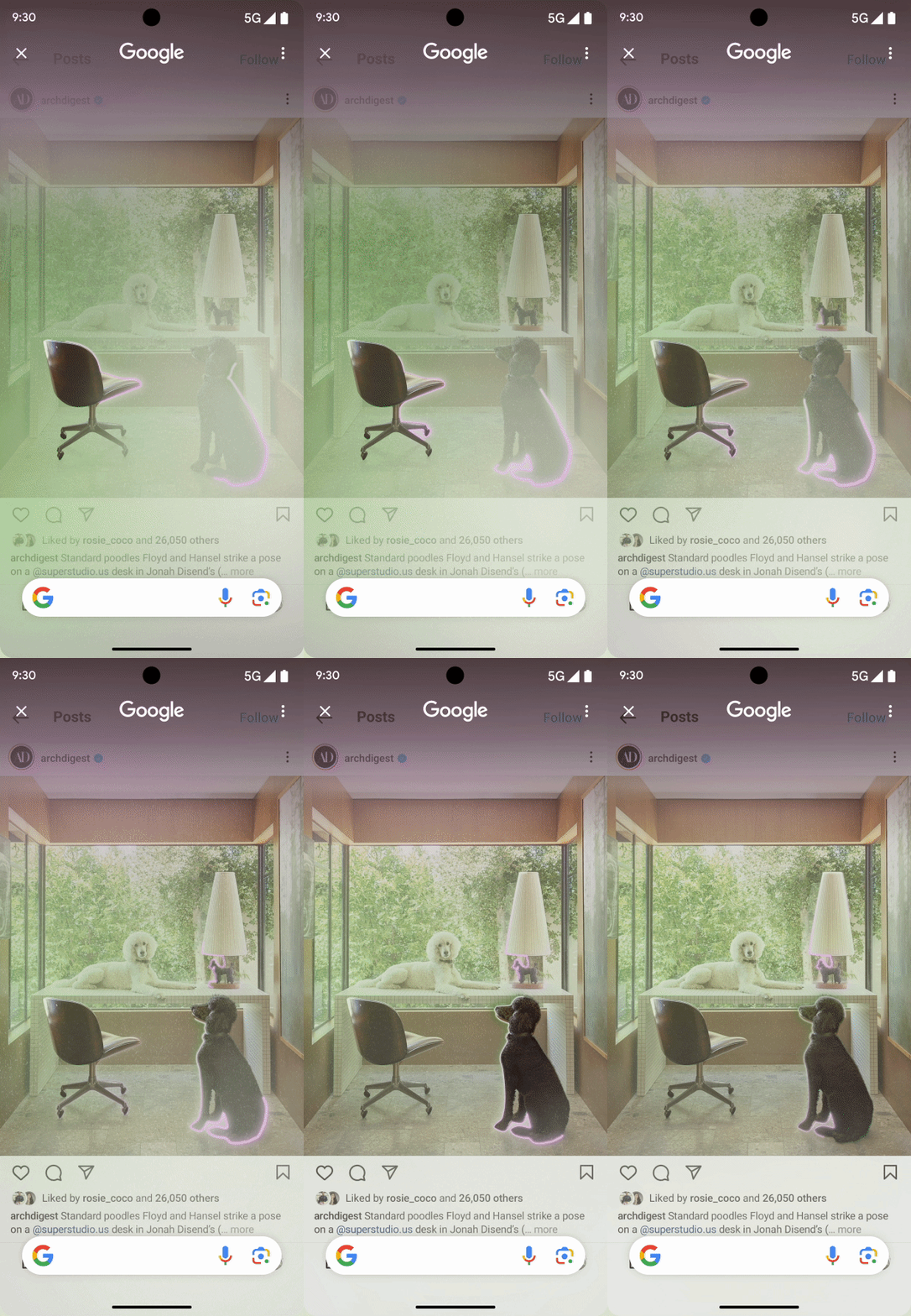
Long press home

Circle to search shows up

User draws

Results appear
The problem
A gesture built for a phone doesn't simply stretch to a bigger screen
The portrait flow was clean. But in landscape, Circle to Search takes over the whole screen, leaving nowhere for results to sit. On a foldable or tablet, that same full takeover wastes the space and drops a bottom sheet in the middle, where most results stay hidden until you scroll.
Both Pixel and Samsung were launching next-generation foldable & tablet devices. Getting Circle to Search right on these flagships was crucial to the launch story, and to Android's large-screen credibility.

Problem: No result visible within the viewport
Exploration
Finding a better place for results to live
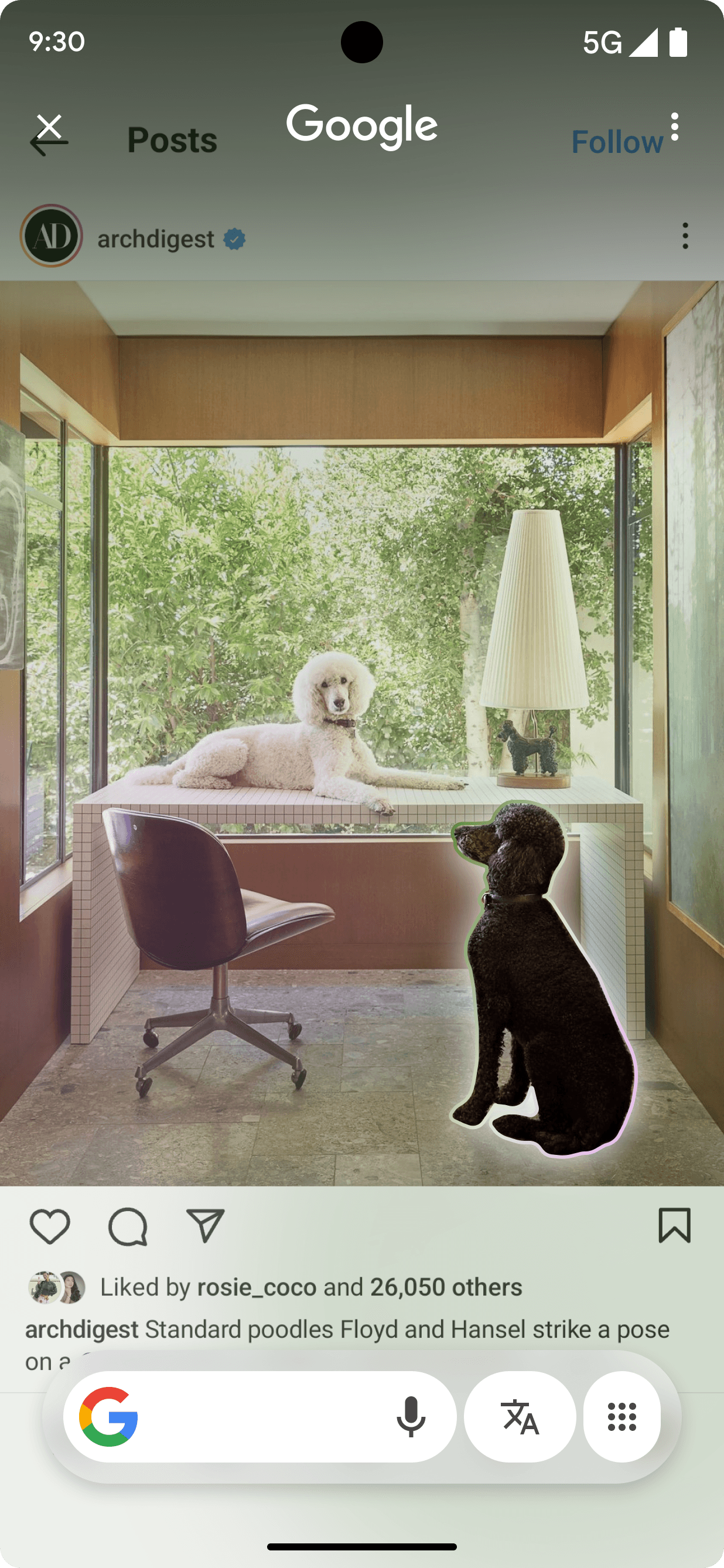
I started by questioning the bottom sheet itself. What if results weren't pinned to the bottom, but floated closer to what you selected, with room to show more at once?

Postioning exploration
Updated solution
From a bottom sheet to a floating panel
The first move was letting go of the bottom sheet. In its place, a floating panel that sits closer to what you selected, with room to show more results at once. Less scrolling, more answers in view.

[Before] Bottomsheet

[After] Dynamic response window
Refining teh solution
Results that land on the open side of the screens
Then the panel learned where to go. Instead of a fixed spot, it appears next to your selection. Circle something on the left, results open on the right. Circle on the right, they open on the left. The space works with you, not against you.

Dynamic placement on left

Dynamic result placement on right
Gaming on large screens
Quick to reach, and there when you come back
Research showed that during gameplay, stopping to invoke Circle to Search was a real pain. People didn't have time to break focus. So I designed for fast access and results that stay put, easy to dismiss and easy to return to. This opened up a whole new way people used the feature while gaming.

Region selected


Results pinned

Results expanded
Big screens aren't just bigger phones. Adapting the layout was the start. The real opportunity was in what people actually do on a large screen, and that began with gaming.
Multi-tasking
Pin results as a new window while you do something else
Circle to Search was stateless. It didn't stay open for you to return to, which made multi-tasking hard. I helped the team prioritize holding its state, so you could leave and pick up right where you were. That mattered most on tablets. Imagine reading a recipe on one side and circling an unfamiliar ingredient on the other, or following a how-to video while keeping the translated steps open beside it. People wanted results they could pin and keep in view, not lose the moment they looked away.
Impact
More people reaching for it on large screens
+15%
Foldable & tablet users
+22%
Weekly gamers
+35M
Users reached globally
Some proprietary information has been modified for presentation purposes.
Reflection