Circle to Search - Part 1
Circle to Search is Google's innovative way to let people search images, text or translate text on their screen without leaving that app they are in. I owned the UX of getting them to discover it, learn it, and keep using it.
Shipped · Adoption UX · Design sprints


The problem
Because the gesture was new and unfamiliar, people weren't finding or using Circle to Search.
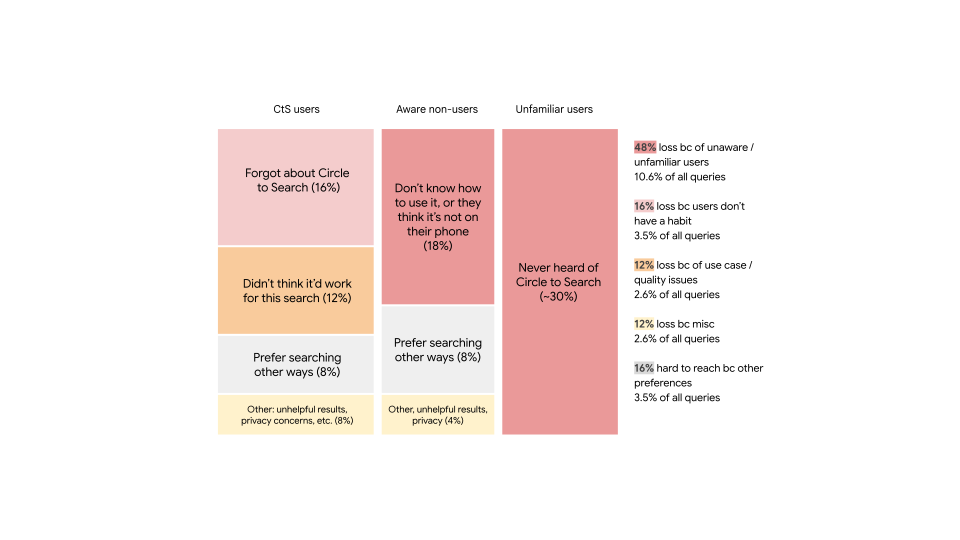
Circle to Search was novel twice over, in what it did and in how you invoked it. People had never long-pressed the navigation bar to summon a search, and they'd never circled, scribbled, or highlighted part of their screen to ask about it. Only 53% of eligible people knew it existed on their phone, and of those, just 17% had ever tried it. A genuinely good idea was going unnoticed. I owned the workstream of improving the product so it is usable & intuitive.
Gesture 1: Long pressing the nav bar

Gesture 2: Circle, highlight or tap to search
Example search flow
User invokes by long pressing the home or navigation bar, invokes Circles to Search on their screen. Then they can circle anything to search without leaving the app they are in. The results are shown in the bottomsheet.

Long press home

Circle to search shows up

User draws

Results appear
Understanding the user
People liked it once they used it. But there was friction for first time users.
The gesture was unfamiliar, and people already had a habit that worked: screenshot, then search. There wasn't much reason to try something new. But once people did try it, the value landed immediately. The feature itself was never the problem. The hard part was getting someone to that first use.
The startegy
Help people discover it, then make it genuinely worth returning to
A new gesture can't be explained with a single tooltip. So I split the work to match how people actually pick up something new. First they learn it exists, then they have one good first experience, then it becomes something they reach for on their own. Three principles held it together: guide without interrupting, teach a little at a time, and adapt to what people are already doing.
Three guiding principles
Open it over a game and you probably want a tip, not a product. Over a recipe in another language, you want to read it. The vision tuned the help to the moment: game tips on a game screen, live translation when there is another language, the right action for what is in view.
1
Guide without interrupting
Be helpful without getting in the way. Support users by providing guidance that feels natural and relevant to their current context.
2
Teach a little at a time
Respect user readiness. Provide the right help at the right time by introducing complexity incrementally as users are ready for it.
3
Adapt to what people are already doing.
Tailor the experience to individual users based on their behavior and progress. Surface feature introductions based on usage patterns and demonstrated skill levels.
Bringing awareness
Reaching people who didn't know it was there
Most people simply didn't know they had it. So we met them where they already look for what's new: feature updates, Pixel tips, and Samsung tips. Inside each one, we added a small space to try it on the spot, while we had their attention.

New update announcement
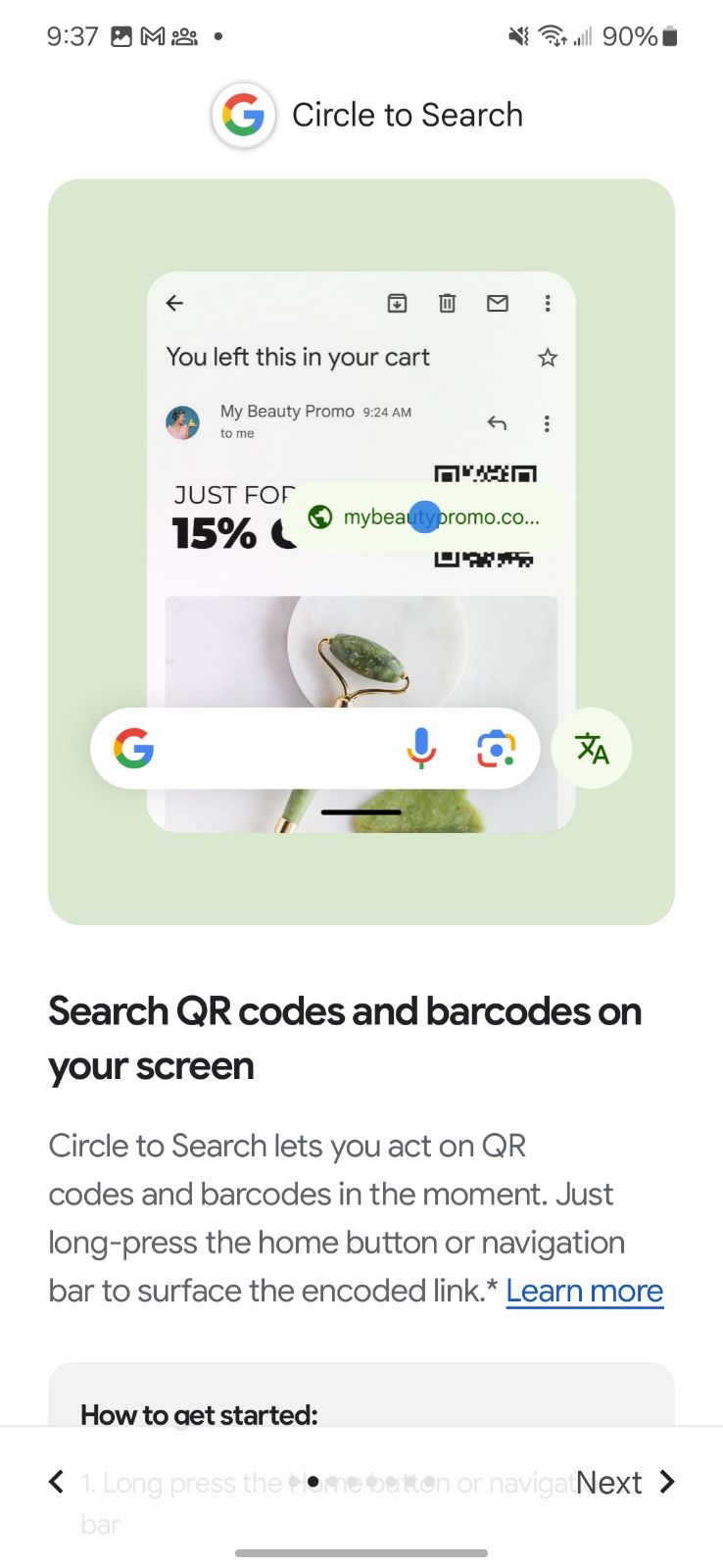
Feature overview

Feature overview
Onboarding
Helping the first search succeed
Once people were in, I narrowed the focus to the two things most worth learning: visual search and text search. Rather than walk people through rigid instructions, I designed subtle gleams that sat on objects likely to return a useful result, so a person's first search was set up to actually land.


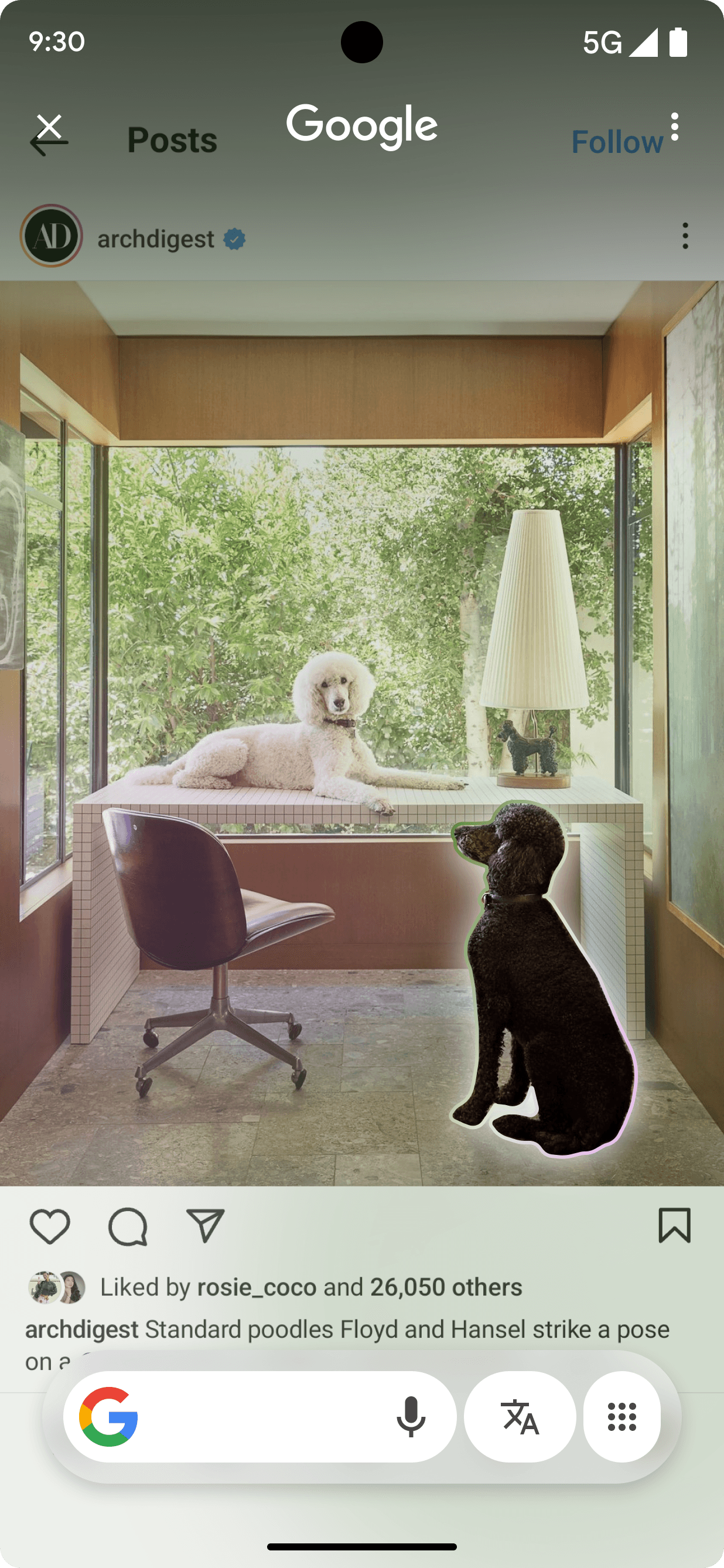

UI designs before motion
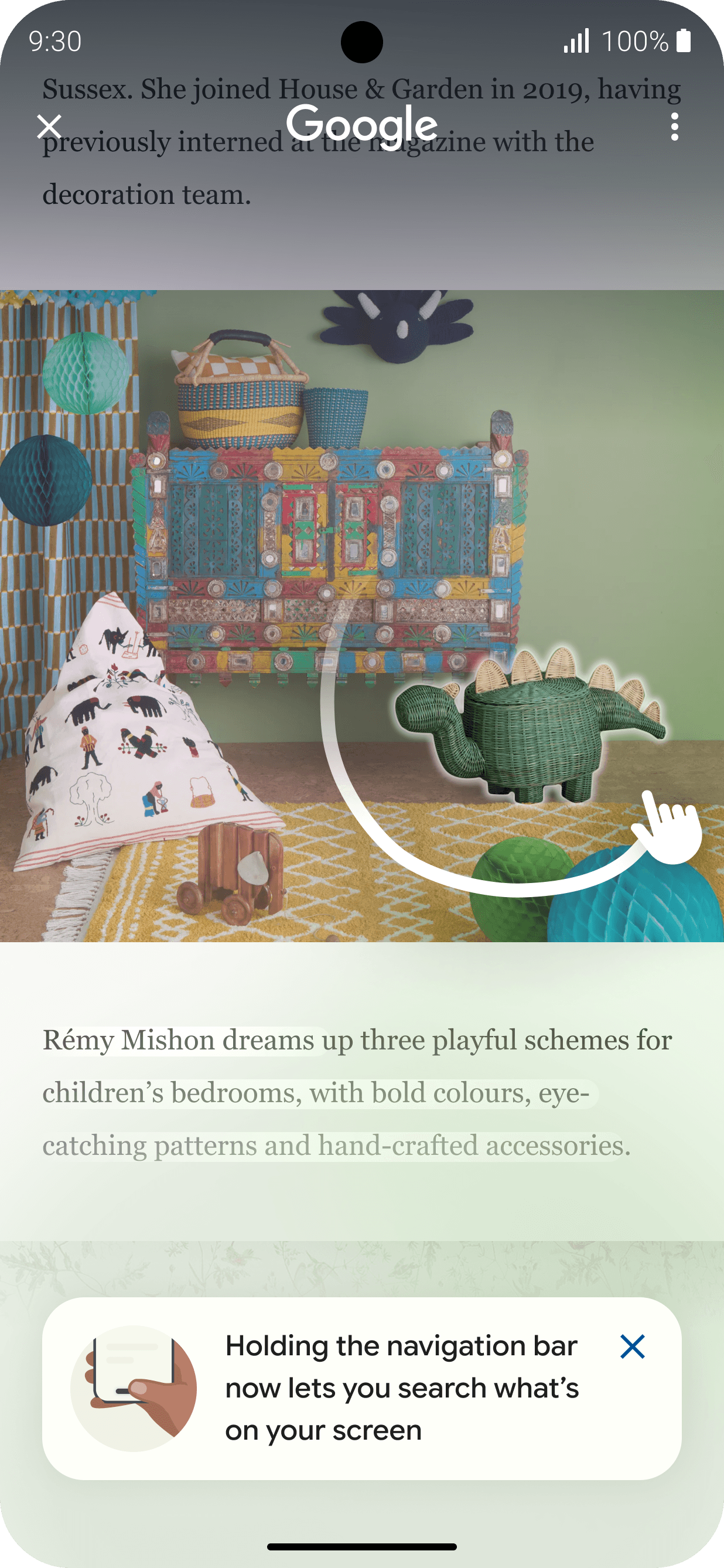
Circle gesture discovery (first time use)
Visual search hints on multiple objects (on subsequent uses)

Visual search hint on hero object (on subsequent uses)
Teach that text can be selected and searched
Placed tags contextually based on what's on the screen. On things like phone numbers, directions, and emails right on the screen, so people could learn by doing instead of sitting through a separate onboarding flow.

Email badges

Phone number badges

Link badges
Graduating the user
Turning a first try into a habit
Working with the data analyst team, I learned that around five deliberate uses in 28 days is what turns a one-time trick into a habit. So instead of repeating one tip, we showed the range of what it could do: selecting visuals, adjusting the brackets, picking out text, searching for songs, shopping, translating a full page, using it across different needs. The more people saw it fit their own life, the more it stuck.
"Data says 5 intent-ful interactions within 28 days can create lasting habits of using Circle to Search"
What are intent-ful interactions
Visual selection
Expand bottomsheet
Refine visual selection area (adjust brackets)
Text selection
Shopping related queries
Use over multiple verticals
Full Page Translate
Targeting the screenshot moment as a reminder
Research showed that people already had a workflow they trusted: take a screenshot, then search with Lens. Rather than fight that habit, I partnered with the Android team to offer Circle to Search right in that screenshot moment, where people were already trying to search. It met people where they were, instead of asking them to learn a new path.
This direction had support across teams as a more natural way for people to search what's on their screen.

Action in screenshot moment

Form a habit
Hints that were a natural extension of the product and not interruptive
Subtle improvement to how product works in order to guide users to understand what other features exist and how they can be useful by being context aware.

Introducing new capabilities

Animating music action

Long press navigation bar

Auto translates on foreign language
Impact
Adoption, earned through design
Awareness rose to 86%, and 78% had tried it at least once. People weren't just discovering the feature anymore. They were holding onto it.
+33%
Aware of Circle to Search
+61%
Have tried Circle to Search
+34%
Use at least once/week
580M+
Android devices reached globally
Some proprietary information has been modified for presentation purposes.
Reflection